Export
Using the Export tab, you can download a complete copy of your scanned link data as a CSV or JSON file. You can open it in Excel, Google Sheets, AI or any tool that works with these formats.
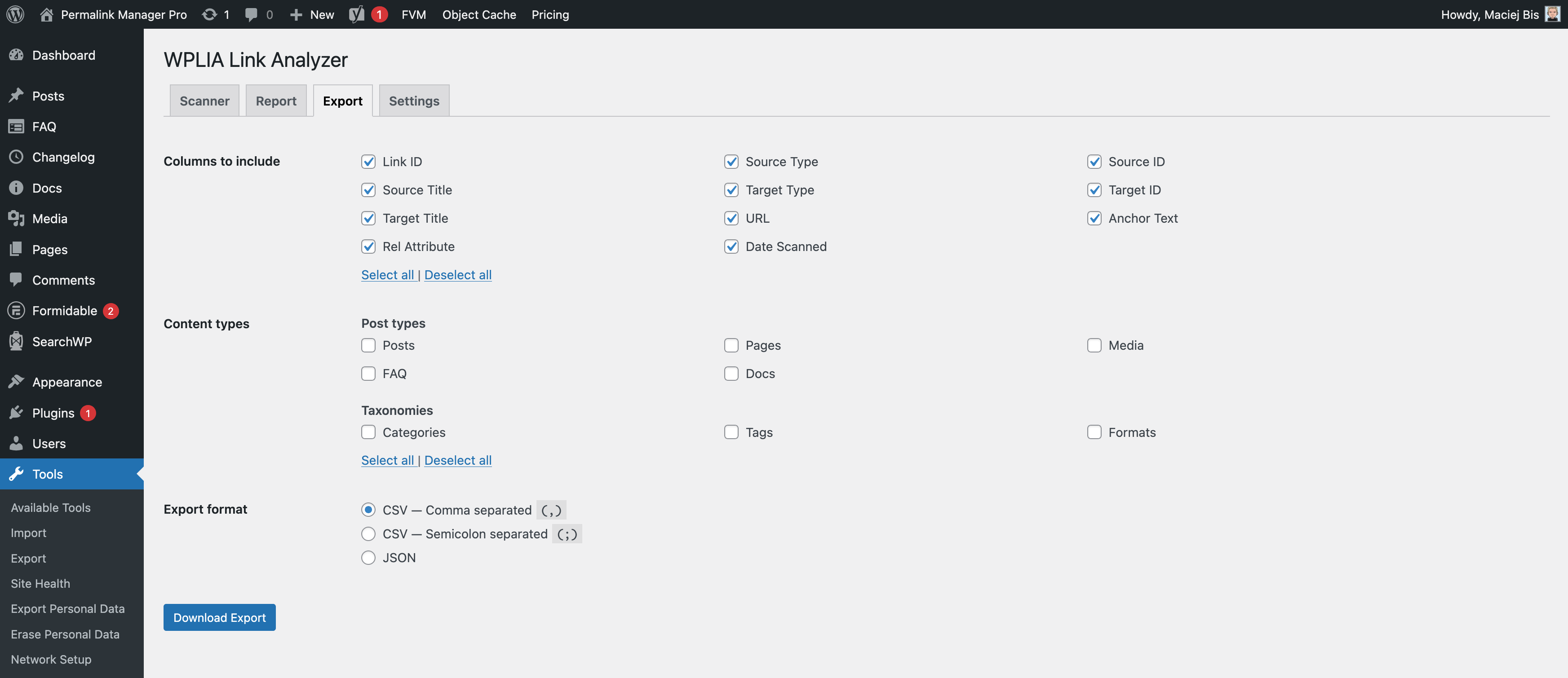
Choosing What to Export
What the Export File Contains
The file does not include totals or summaries and lists one link per row. If a post or page contains ten links, that post takes up ten rows in the file.
To get counts per post, open the file in a spreadsheet tool and use a pivot table or formula. The JSON format also works well with AI tools or custom scripts.
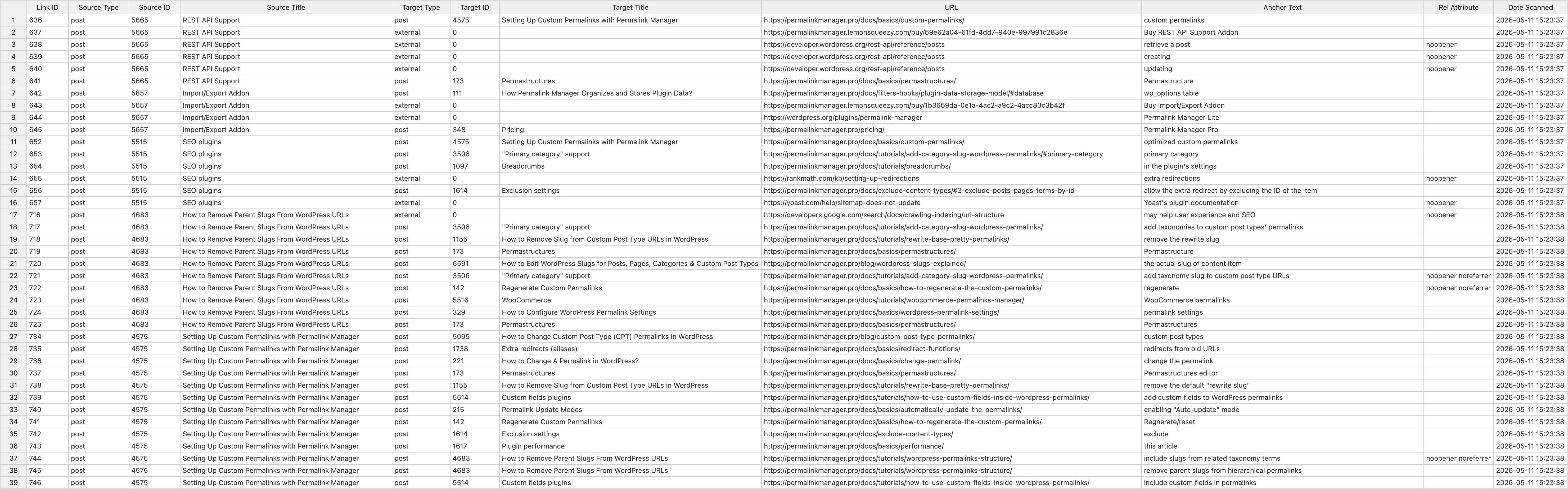
Export Format
Pick the file format that works best for your needs:
CSV - Comma separated (,):
CSV - Semicolon separated (;):
JSON: